Insert SIM card into side of tablet with contacts facing operator.
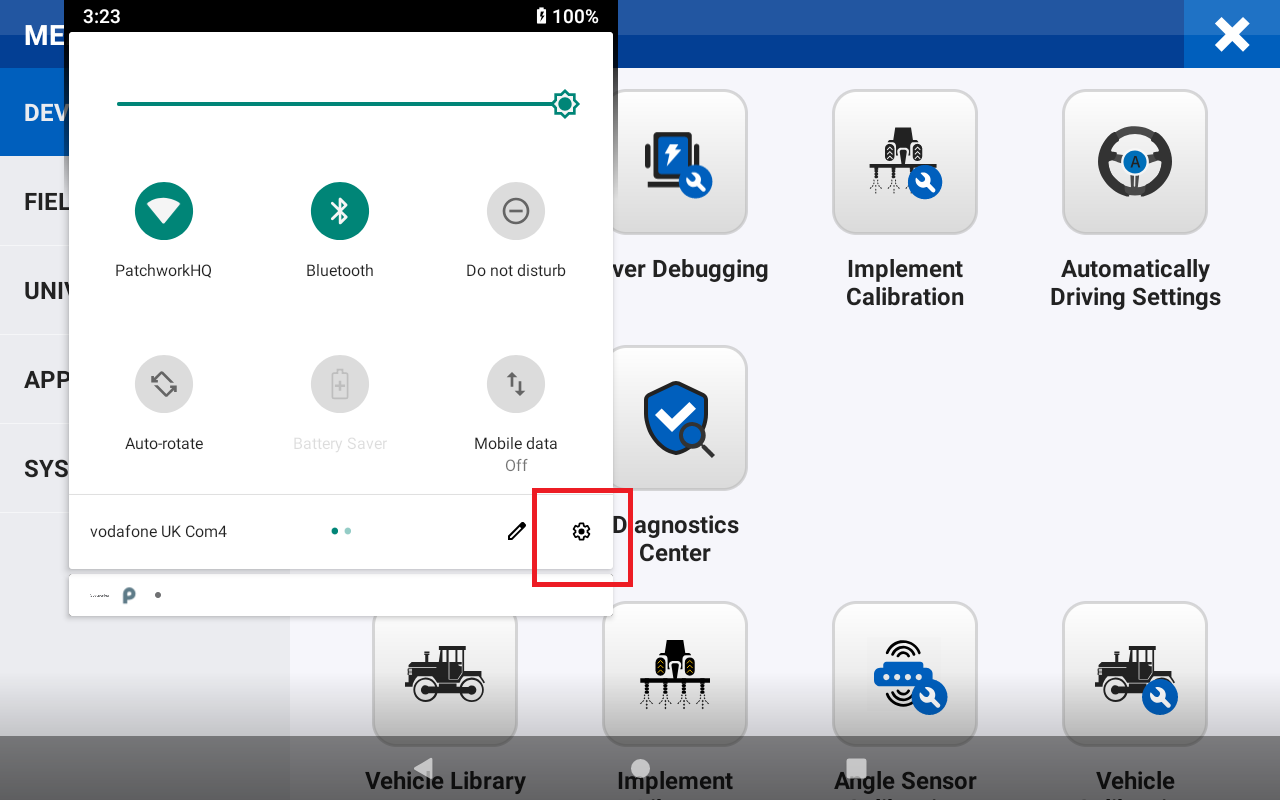
Double swipe down on the display to select the setup icon.
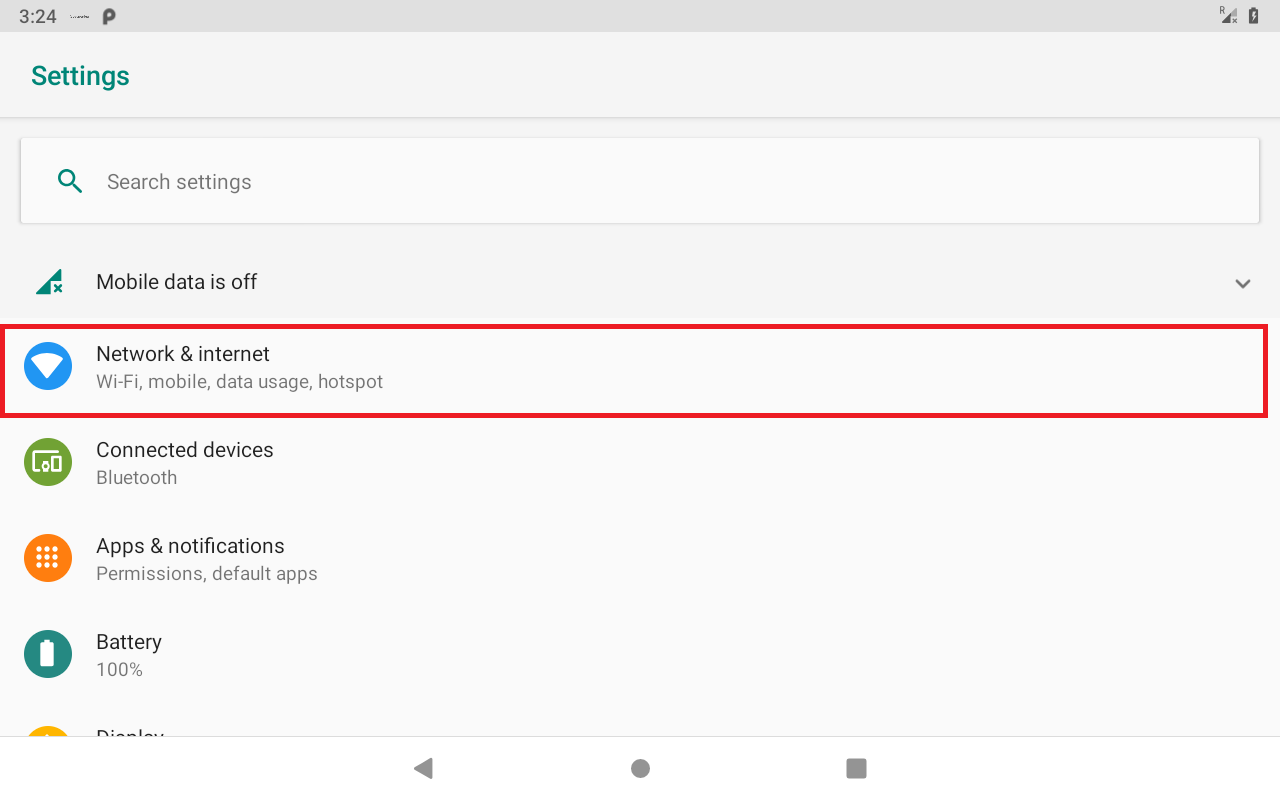
Press on Network & internet
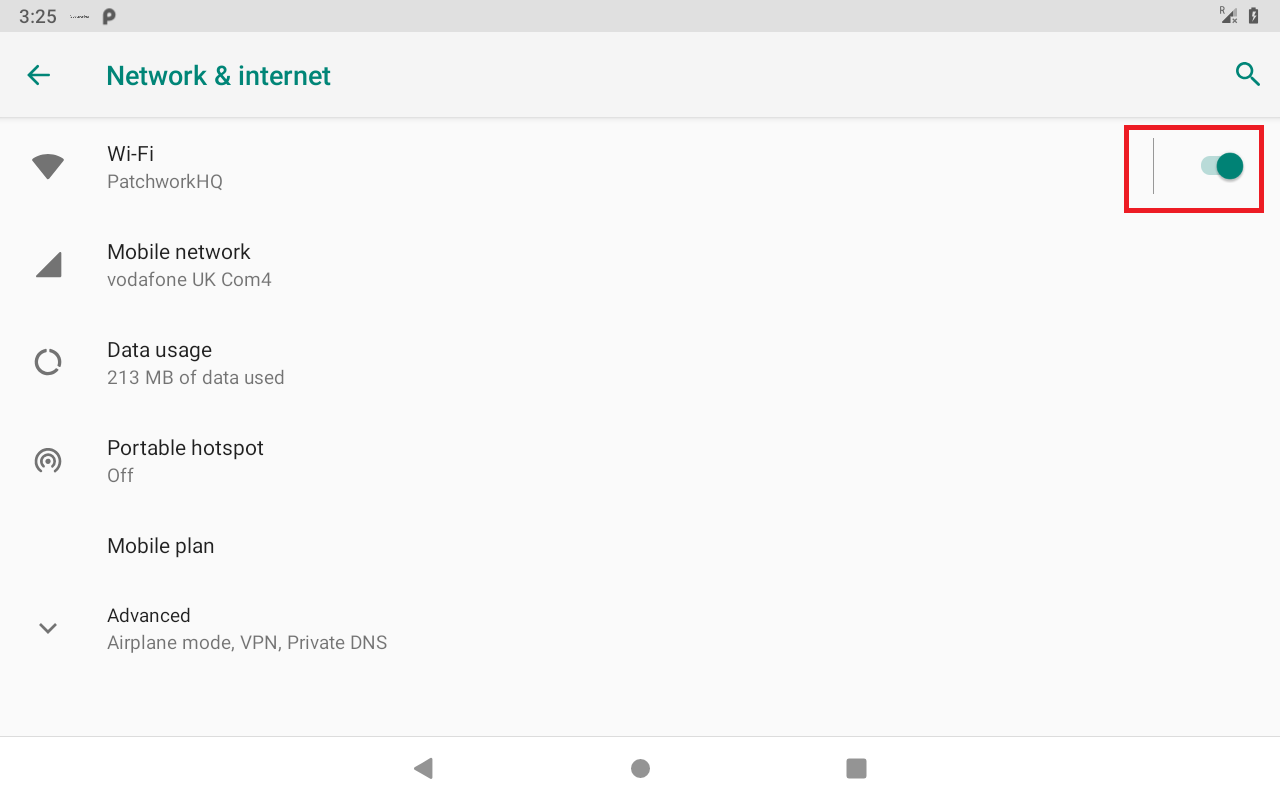
Disable WIFI if it is switched on and press Mobile network.
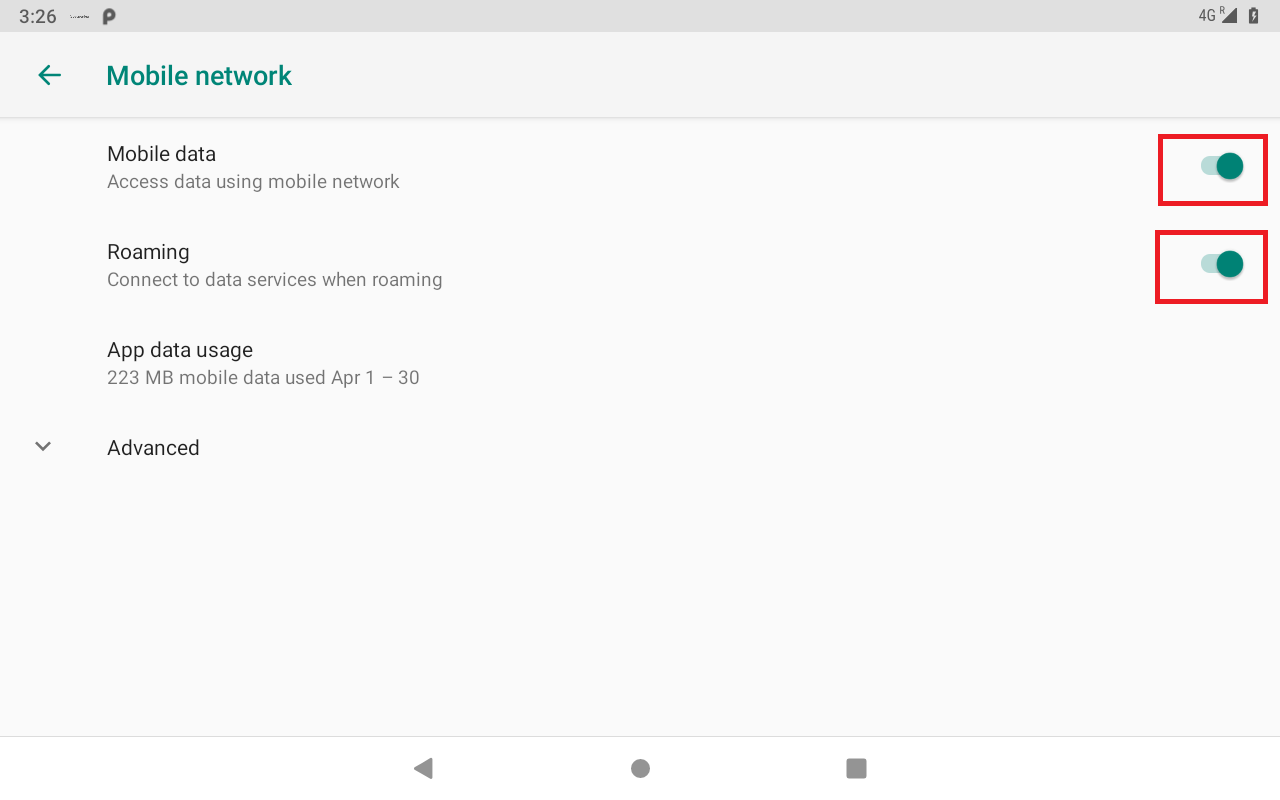
Enable Mobile data and Roaming.
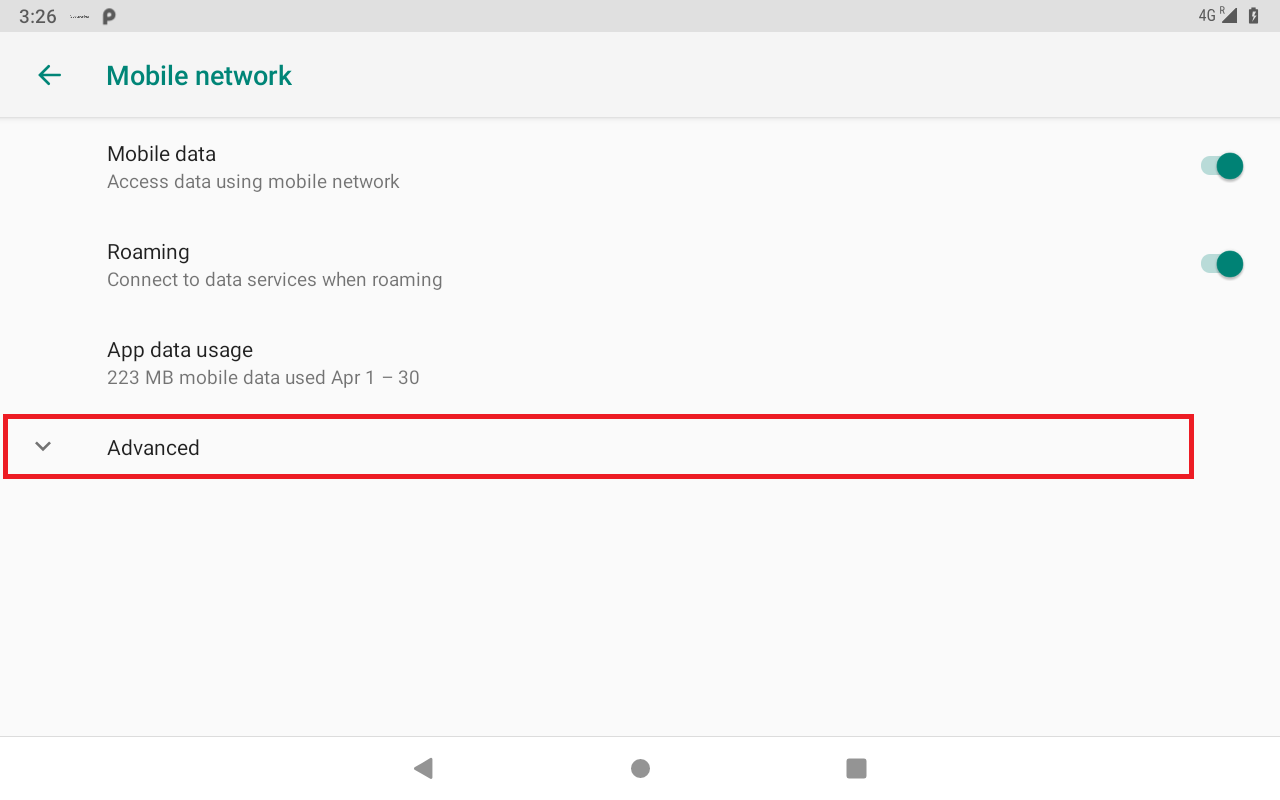
Press Advanced
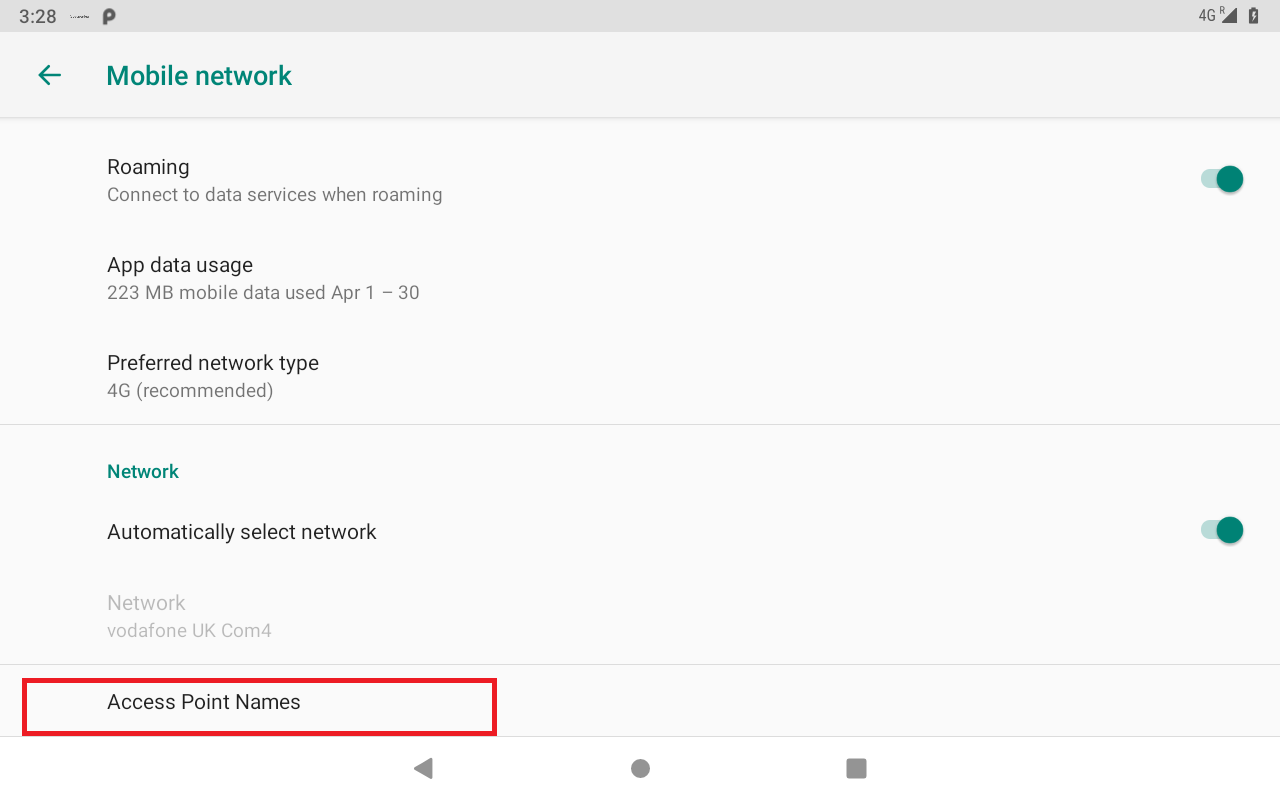
Scroll to the bottom of the screen and press Access Point Names
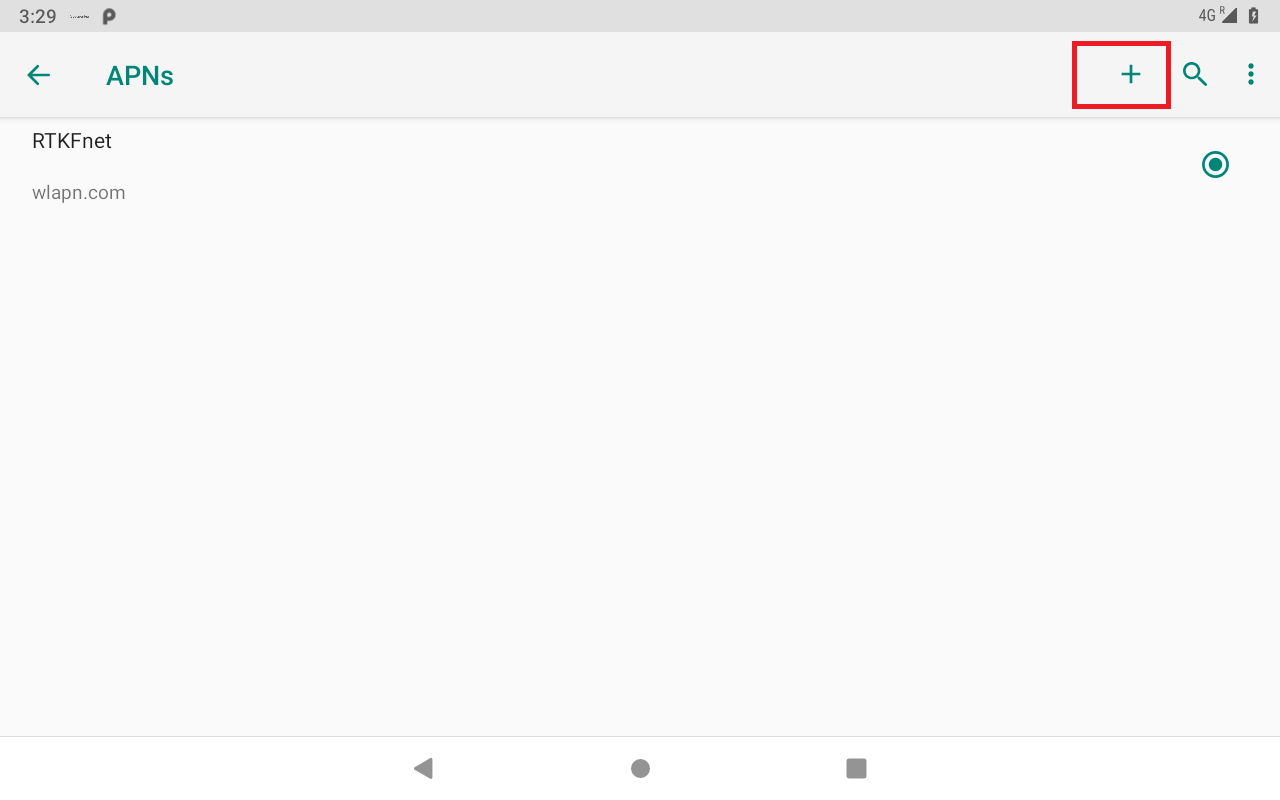
Add APN with the following information
Name - RTKNet
APN - wlapn.com
Username - ****
Password - ***
Authentication type - PAP
APN protocol - IPv4
APN roaming protocol - IPv4/IPv6
Press the Home button to return to the SimplySteer Application
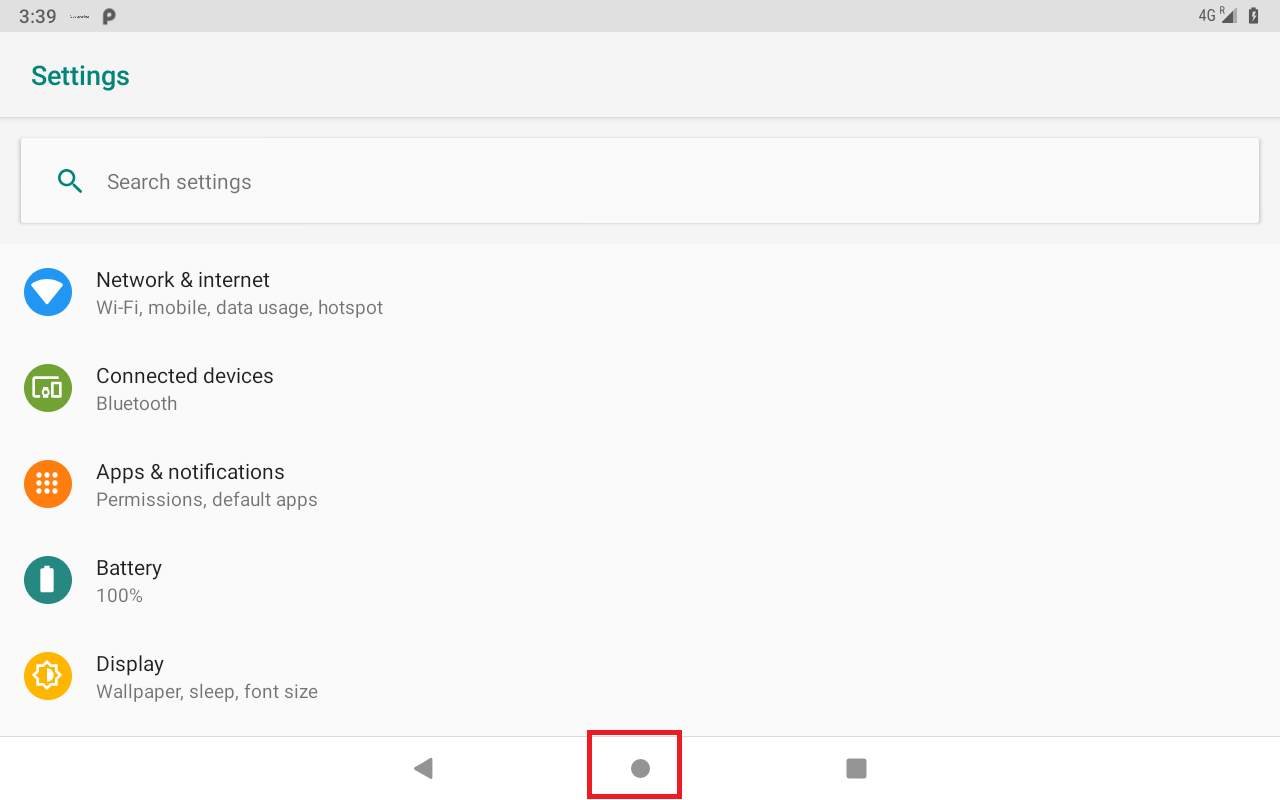
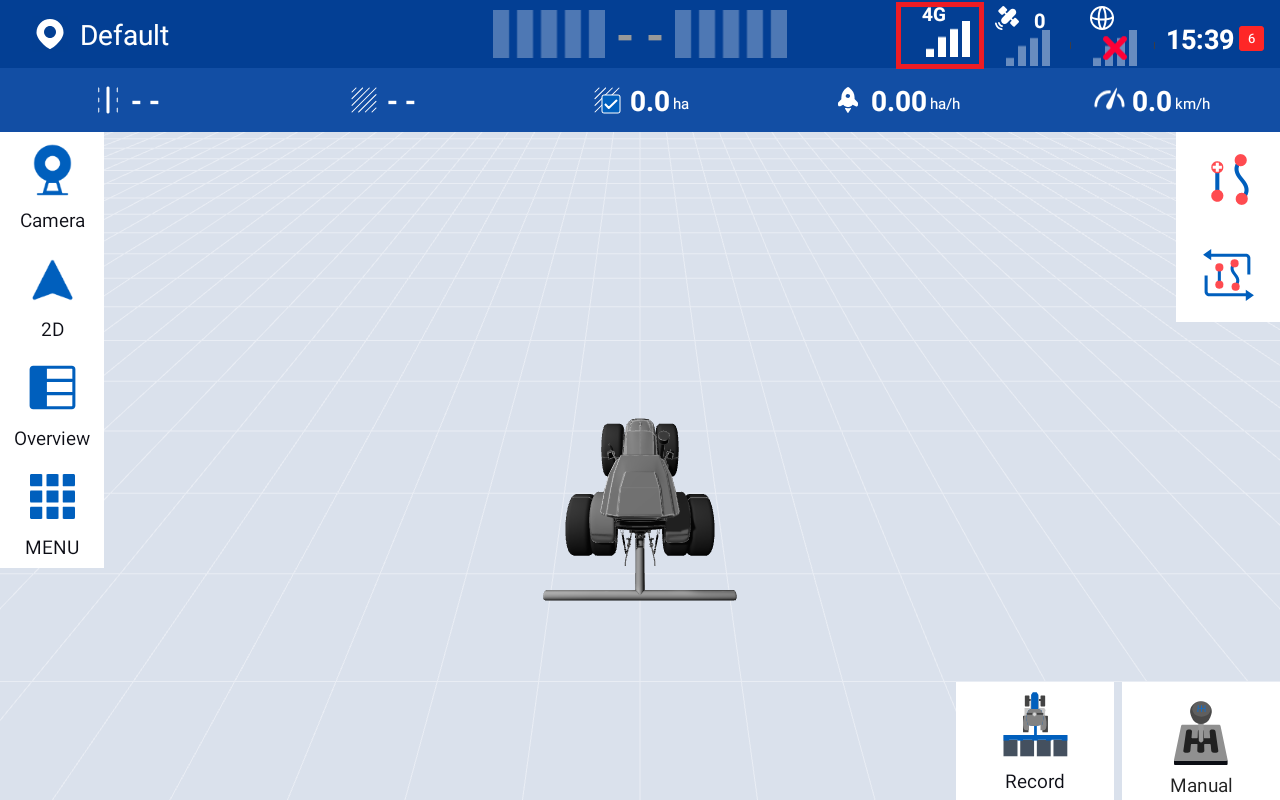
4g/5g status should now be displayed
Was this article helpful?
That’s Great!
Thank you for your feedback
Sorry! We couldn't be helpful
Thank you for your feedback
Feedback sent
We appreciate your effort and will try to fix the article